
Welcome, and thanks for investing in the Hidden Pivot Seminar!
(Please see below for important information that you’ll need.)
How do I get started on viewing the current Recorded Hidden Pivot Seminar and other material in my account?
If you have signed up for the Hidden Pivot Seminar, you can start viewing the latest recorded version of the Seminar immediately by clicking the link in your Account Dashboard as shown in the help screens below. Please note that these sample screens below are help screens and the dates in them are not current.
If you also wish to attend the “Live” HP Seminar, see the instructions further down this page. See the Front Page of the website, Right Column for the next “Live” HP Seminar date.
Hidden Pivot Seminar (last recorded version)
New Hidden Pivot sign ups and Graduates can always see a recorded version of the Hidden Pivot Seminar and the Wednesday Tutorials via the link in their Account Dashboard.
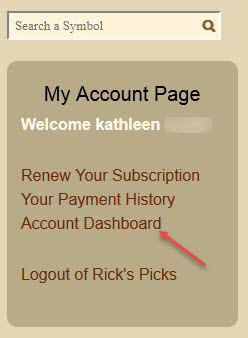
Please click “Account Dashboard” in the “My Account Page” block in the Right Column” on any page of the website.
When in the dashboard, you will see the Hidden Pivot Seminar links to view the recorded sessions and to register to attend the “Live” Seminar.
- You can use the Current Hidden Pivot Webinar (recorded) link to view the latest recorded version of the HP Seminar for up to six months after you sign up for the Seminar.
- You can use Register for the next “Live” Hidden Pivot Seminar link to register to attend the “Live” Seminar when it is given next. This can be done anytime up to three days before the “Live” Seminar.
See the Front Page of the website, Right Column for the next “Live” HP Seminar date.
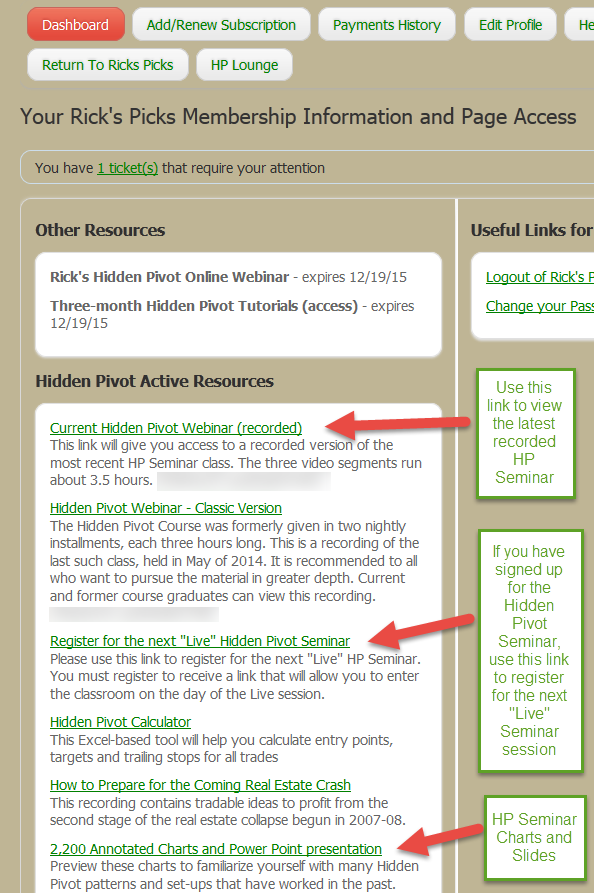
As the screen shows above, to attend the next “live” Hidden Pivot Seminar (see the website Front Page, right column for the next live seminar), you must register to receive a link that will take you to the classroom on the day of the Seminar. You must register for the live Seminar at least three days before the Seminar date or you may miss getting a link to enter the classroom. Do not wait till the last minute to register.
Downloading the Annotated charts that come with the purchase of the Hidden Pivot Course
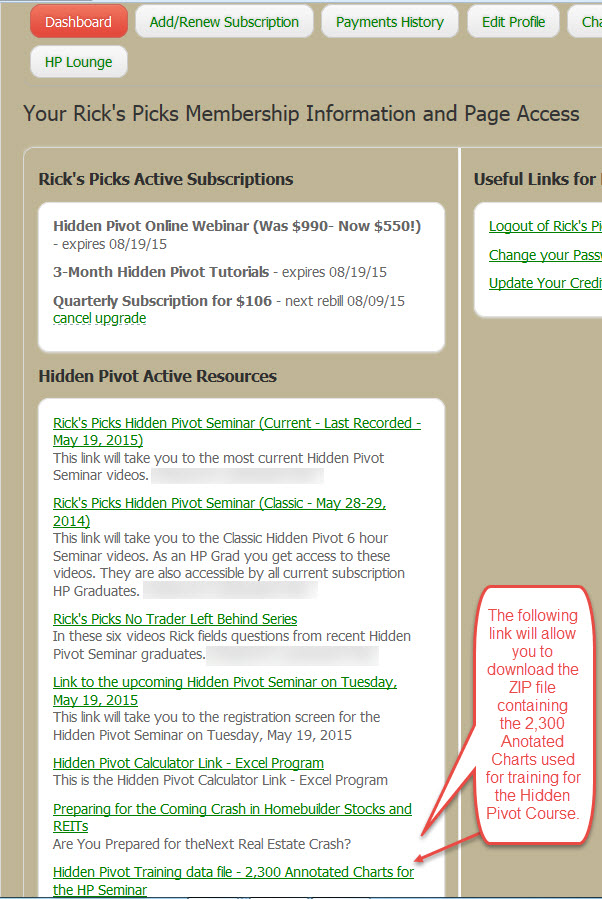
Preview these charts to familiarize yourself with many Hidden Pivot patterns and set-ups that have worked in the past. Some patterns will become your profit-generating favorites. The zip file is large: 700MB. Also download the Power Point presentation that Rick uses for the live HP Seminar. The Power Points change from time to time. They are available just for familiarization and training. Both files are PDF’s.
Getting the charts in PDF format
The link in your Account Dashboard will allow you to download the ZIP file containing the Annotated Charts used for familiarization and training for the Hidden Pivot Course.
Click the link – Enter the password when requested – download the file – save it to your location on your computer and use a ZIP type program to restore the file folder. The folder contains all the charts in PDF format, so you must use a PDF reader like the Adobe PDF reader or a similar program.
Account Dashboard Help Screen
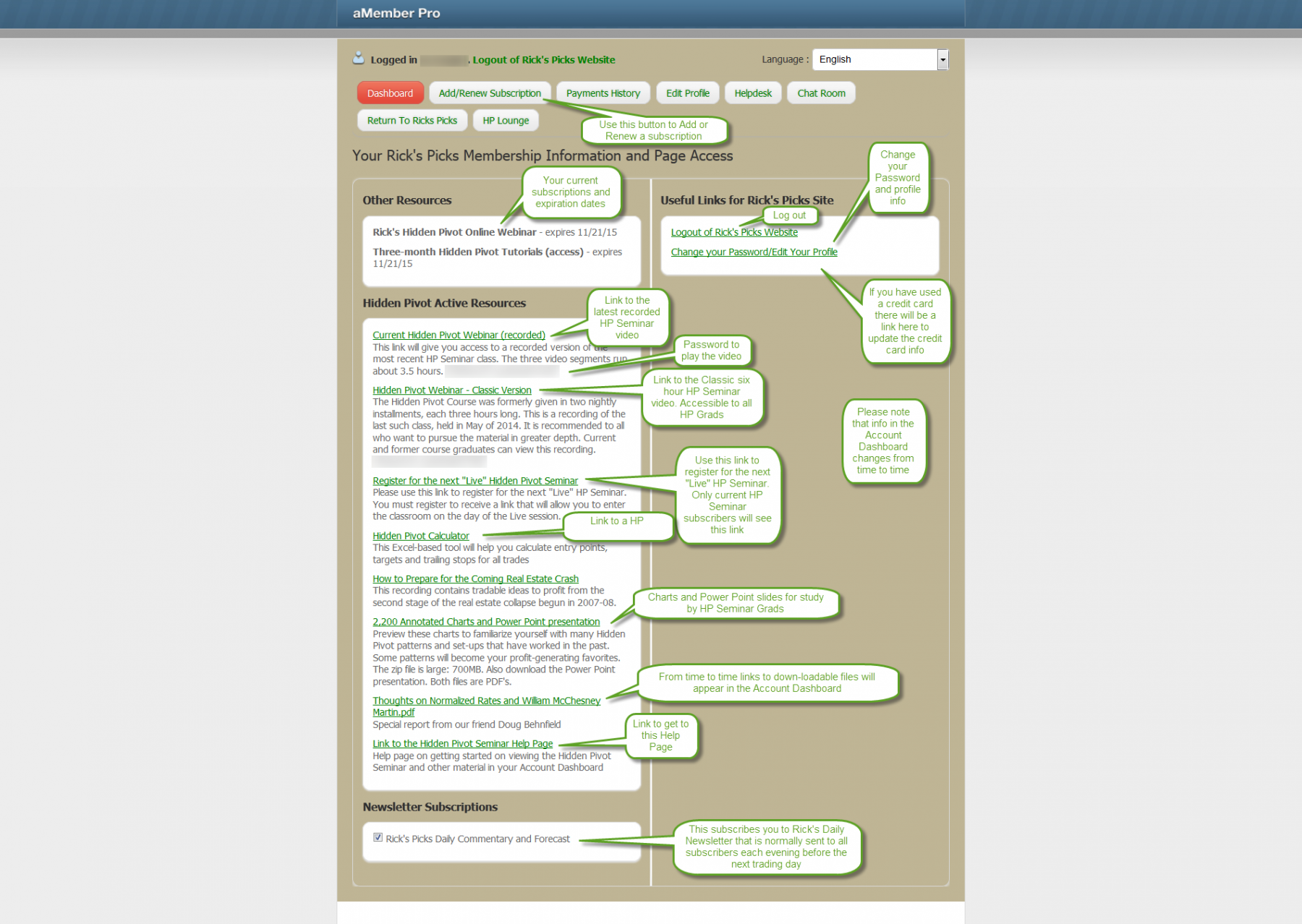
Your Account Dashboard is the heart of your account. This is where you go to find out anything about your account or subscriptions. There you can see your current subscriptions, add or renew subscriptions, see your payments history, modify your profile/password data, and download free files or view the Hidden Pivot recorded Seminar if you have a HP Seminar subscription.
Viewing the latest recorded HP Seminar
When you click the Current Hidden Pivot Webinar (Recorded) in your Account Dashboard, you can view the latest recorded version as shown below.
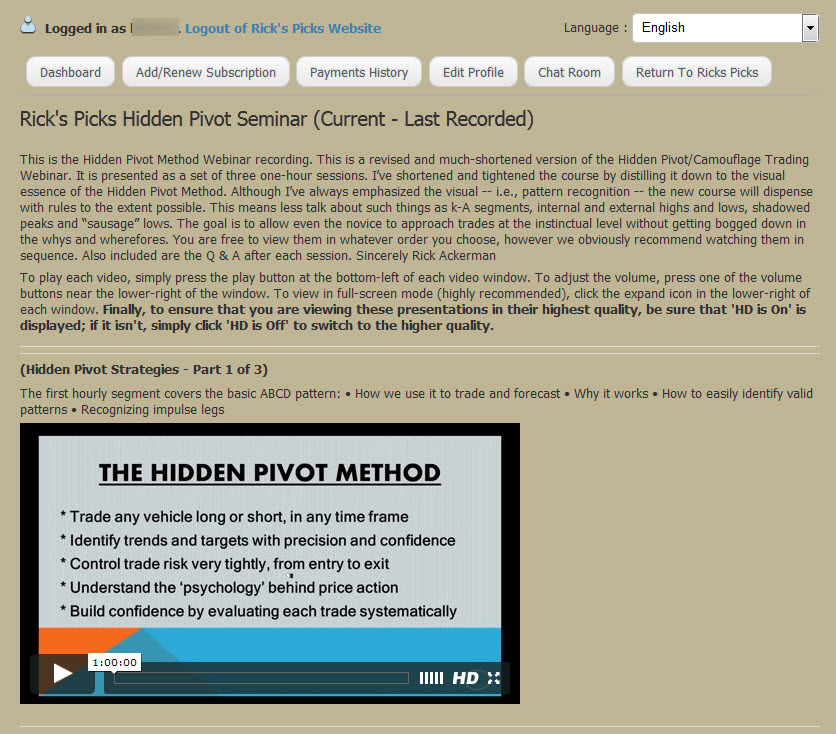
Important for Hidden Pivot Seminar sign ups!
You must register to attend the “live” HP Seminar! What does registering do? It allows our system to send you a link to enter the classroom on the day of a “live” HP Seminar. You must register for the live Seminar at least three days before the Seminar date or you may miss getting a link to enter the classroom. Do not wait till the last minute to register.
If you never plan to go to the live HP Seminar you do not need to register. You may just watch the recorded version.
Also download the Annotated charts and HP Seminar slides as shown on the sample screens above.
The Hidden Pivot Lounge
To view the other materials available to HP Graduates and Seminar subscribers, please go to the Hidden Pivot Lounge available via the menu item on the Front Page Menu.

Here you will find the latest two Wednesday Hidden Pivot Tutorial recordings, the sign up calendar for the
Wednesday Tutorials, a link to see more of the recorded Wednesday Hidden Pivot Tutorials and other useful information.
Recorded Wednesday Hidden Pivot Tutorials
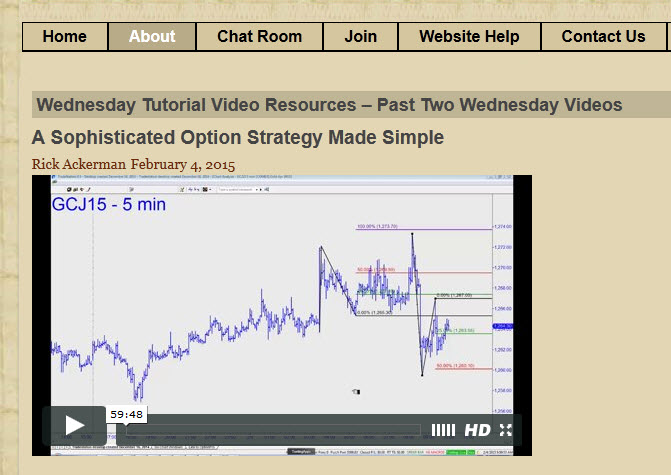
The Two most current recorded Wednesday Tutorials can be viewed at the top of this page. Not all Tutorial sessions are recorded: only those which provide a great learning opportunity.
The Hidden Pivot Calendar
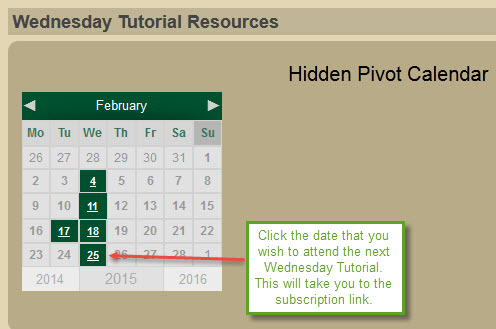
Rick’s Hidden Pivot Tutorial is normally held every Wednesday at 12:00 PM EST. Click the link in the Hidden Pivot Calendar above on this page for the day you wish to attend a Wednesday HP Tutorial. You will not receive an email to schedule yourself for this tutorial. You must register via this calendar!
Click and select the date of the Wednesday Tutorial you wish to attend. The following screen will display:
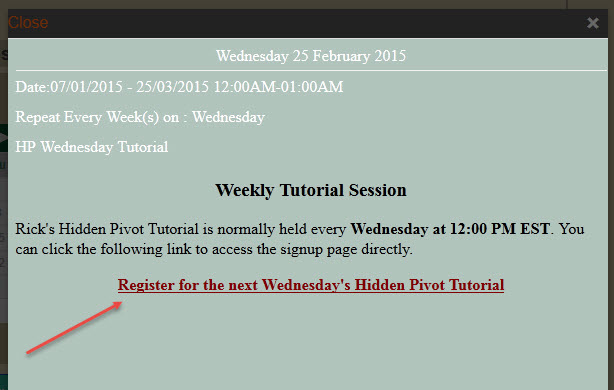
Click the link and the registration page will display:
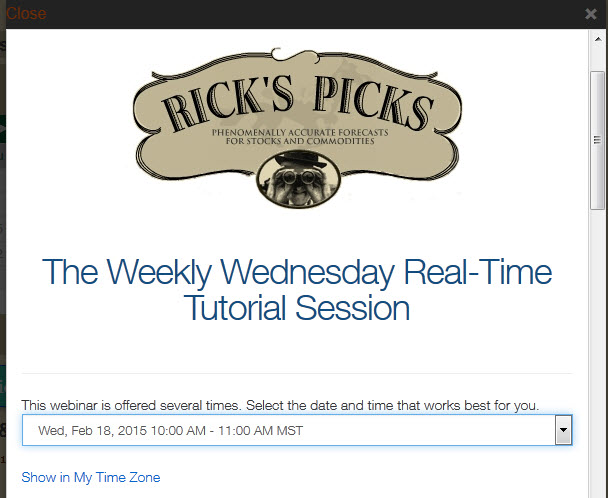
You can sign up for any date via the drop down list. Fill in the required registration information and when saved, a link will be sent you the email you used in the registration. Use that link to enter the Wednesday Tutorial on the selected day and time.